AI Marketing Workflow Tools: 8 Options by Task (2026)
Buying another AI writing tool will not help if your campaign stalls before anyone agrees on the customer question. I use a different test: identify the handoff that keeps failing, then choose the tool that helps you finish that step and pass useful context to the next person.
This is a guide to building an AI marketing workflow, from choosing a direction through drafting, design, delivery, and review. It is different from my nine-tool comparison for startups and small teams, which is a broader buyer's shortlist. Here I look at what each tool should receive, what it should produce, and where its work goes next. I have not run identical controlled tests across all eight products; the recommendations draw on documented workflows and product pages.
If you are still choosing the campaign direction, I would start with Tomako. Once you have an approved brief, ChatGPT can help work through source notes, Jasper can apply saved brand rules to repeat assets, Canva can produce visual files, HubSpot or Klaviyo can deliver to the relevant customer records, Semrush can inform search content, and Buffer can schedule social posts. You may need only two of these tools, not all eight.
Ricky·Published Oct 15, 2026·11 min
Map the handoff before choosing software
Start with one campaign. Write down the input you trust, the decision an editor or marketer must make, the output someone else needs, and the result you will check. If the draft depends on facts nobody approved, fix that handoff before adding automation. If the copy is ready but no asset is available, test a design tool. This keeps the software choice tied to work you can observe.
Choose the tool for the handoff that is stuck
What keeps delaying your work?
Start with
What I would check first
You see possible growth opportunities but have no agreed plan
Tomako
Whether the workflow you need is currently available
Content from different contributors sounds inconsistent
Jasper
Whether shared brand controls solve the actual review problem
Approved campaigns wait for graphics
Canva
Whether the required AI and brand features are in your plan
Marketing activity needs to connect to contacts and follow-up
HubSpot
CRM data quality, plan tier, and contact limits
You cannot choose which search topics deserve attention
Semrush
The research toolkit and usage limits you need
Your store sends the same messages to customers with different needs
Klaviyo
Whether purchase and behavior events are dependable
Finished ideas never make it onto your social channels
Buffer
Channels, scheduling limits, and review needs
Key takeaways
Name the task that repeatedly stalls before comparing feature lists.
Give AI approved product facts and customer evidence; check its conclusions against the source material.
Judge the finished, approved deliverable and its next handoff, not the number of drafts generated.
Check the exact plan, usage limits, and current feature availability before paying for a year.
AI marketing workflow tools at a glance
Tool
Best for
What I would use it to produce
Main trade-off
Tomako
Deciding what growth work to pursue
Campaign direction tied to product and audience context
Confirm current access to the described workflow
ChatGPT
Flexible research and drafting
Analysis, outlines, and revised copy
Needs strong inputs and fact-checking
Jasper
Repeatable, brand-governed content
Related campaign assets under shared rules
Setup and seat cost
Canva
Campaign visuals
Editable graphics in the formats you need
Cannot fix an unclear message
HubSpot
CRM-connected marketing
Campaigns tied to contacts and follow-up
Data setup and plan complexity
Semrush
Search and AI-visibility research
Topic priorities and competitive findings
Research still needs editorial judgment
Klaviyo
Ecommerce email and SMS
Segments, flows, and customer messages
Depends on reliable customer events
Buffer
Social drafting and scheduling
Channel-specific posts and a publishing queue
Publishing volume is not a business outcome
I reviewed the published workflows and pricing information for these eight products and selected them because they cover distinct marketing tasks. I have not run the same controlled implementation inside all eight. My practical test for inclusion was this: could I use the documented workflow to finish a real task and hand its output to the next person without having to explain the entire campaign again? The recommendations below are judgments about workflow fit, not a measured performance ranking.
Eight tools across the marketing workflow
1. Tomako: Best for deciding what marketing work to do next
The handoff I would test: Give it customer objections and verified product facts; expect a brief with one defensible message; pass that to the writer or campaign owner.
Best for: A founder or marketer with several plausible growth ideas who needs to choose one and connect it to useful work.
I would not open Tomako to produce one isolated social post. I would bring it a problem such as: “People visit our feature page, but support conversations suggest they misunderstand the setup time.” I would add the customer evidence and approved product facts, then ask whether the resulting direction identifies a concern I can address, a message I can support, and work I can carry forward.
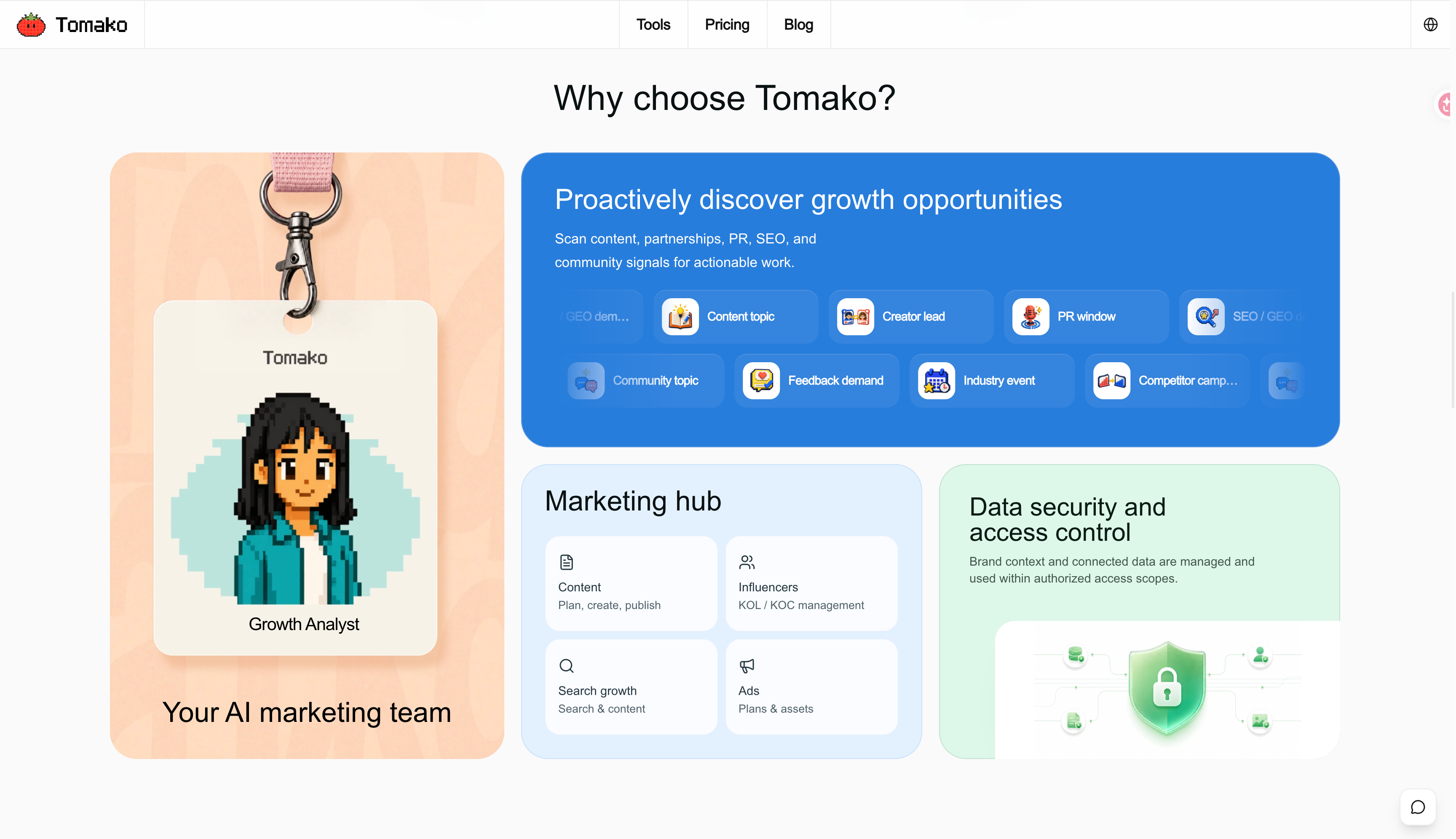
Tomako describes a marketing workspace built around product, audience, positioning, voice, and brand context. Its use-case guides show ways to connect a growth problem with campaign decisions and review. The guides also distinguish current foundations from the broader product vision. I would confirm which part of the proposed workflow is available in my account before depending on it for a live campaign.
Tomako website overview; check the current product for feature availability.
Pros: Starts with the product and buyer context; provides a way to consider opportunities across more than one marketing channel.
Cons: A broad workspace needs more preparation than a single-purpose editor. Tomako’s pricing page marks some Dashboard and Growth Signals capabilities “Coming soon.”
Pricing: Tomako publishes Starter, Pro, Growth, and Scale plans with different product and AI-point allowances. Its pricing page separates introductory charges from renewal prices. I would compare the full billing amount, expected usage, and the features currently accessible before choosing a plan.
Choose it if: Your main bottleneck is choosing a defensible marketing direction and carrying that decision into the next piece of work. If the campaign is already approved and you only need a graphic or an email send, start with the relevant specialist.
2. ChatGPT: Best for flexible research and drafting
The handoff I would test: Give it the approved brief and original research notes; expect an outline or draft with claims to verify; pass that to a human editor.
Best for: Understanding unfamiliar material, testing an argument, building an outline, and revising copy.
I would not ask ChatGPT to “write a blog post about our product” and publish what comes back. Instead, I would give it five customer interview notes and approved product facts. I would ask it to group recurring objections and identify which conclusions the notes actually support. Then I would read the notes again. That last step catches a promising claim that rests on one person’s comment.
After the message is approved, ChatGPT can help adapt it for an email, a page section, and social posts. Its flexibility is the attraction. The review work is part of the price of that flexibility.
Pros: Useful across research, writing, and revision; easy to compare several approaches to the same brief.
Cons: Can produce plausible but unsupported claims; campaign context may become scattered across separate conversations.
Pricing: OpenAI offers free and paid plans. Its Business pricing page lists Standard seats at $25 per user per month on monthly billing or $20 per user per month with annual billing, with a two-seat minimum.
Choose it if: Your tasks vary and you can provide source material and review the result. Choose a dedicated marketing platform when the difficult part is customer data, publishing, or campaign coordination.
3. Jasper: Best for content that must follow shared brand rules
The handoff I would test: Give it approved facts and brand guidance; expect related copy variations for one campaign; pass that to the reviewer who signs off the message.
Best for: Producing many related assets when contributors need to use the same voice, approved claims, and product knowledge.
If drafts keep returning with the wrong tone or an old product description, I would test Jasper with the rules that cause those rewrites. Set up one product, its audience, and the claims you have approved. Then produce a landing-page section, an email, and two social posts from the same campaign brief. I would check whether the central claim remains accurate as the format changes.
Jasper documents Brand Voice and broader marketing workflows on its product and pricing page. Shared rules can save review time, but only if someone keeps the underlying information current.
Pros: Built for repeatable marketing production; shared brand context can reduce inconsistent drafts.
Cons: Requires setup and maintenance; creating more assets also creates more claims to check.
Pricing: Jasper lists Pro from $59 per seat per month when billed annually, or $69 per seat per month on monthly billing. Business pricing is custom. Check which brand, collaboration, and agent features your chosen plan includes.
Choose it if: Consistency across a stream of campaign content is the bottleneck. If you only need occasional research or a first draft, test a general assistant first.
4. Canva: Best for visual campaign assets
The handoff I would test: Give it approved copy, product screenshots, and brand assets; expect editable designs in the required sizes; pass that to the person publishing each channel.
Best for: Producing and adapting graphics after the campaign message has been approved.
I would begin with one specific idea, such as a three-step explanation of a product setup. Make the primary graphic, adapt it to the placements you will use, and inspect every version at phone size. Can a reader make out the headline? Does the graphic show the product accurately? Is the call to action still visible?
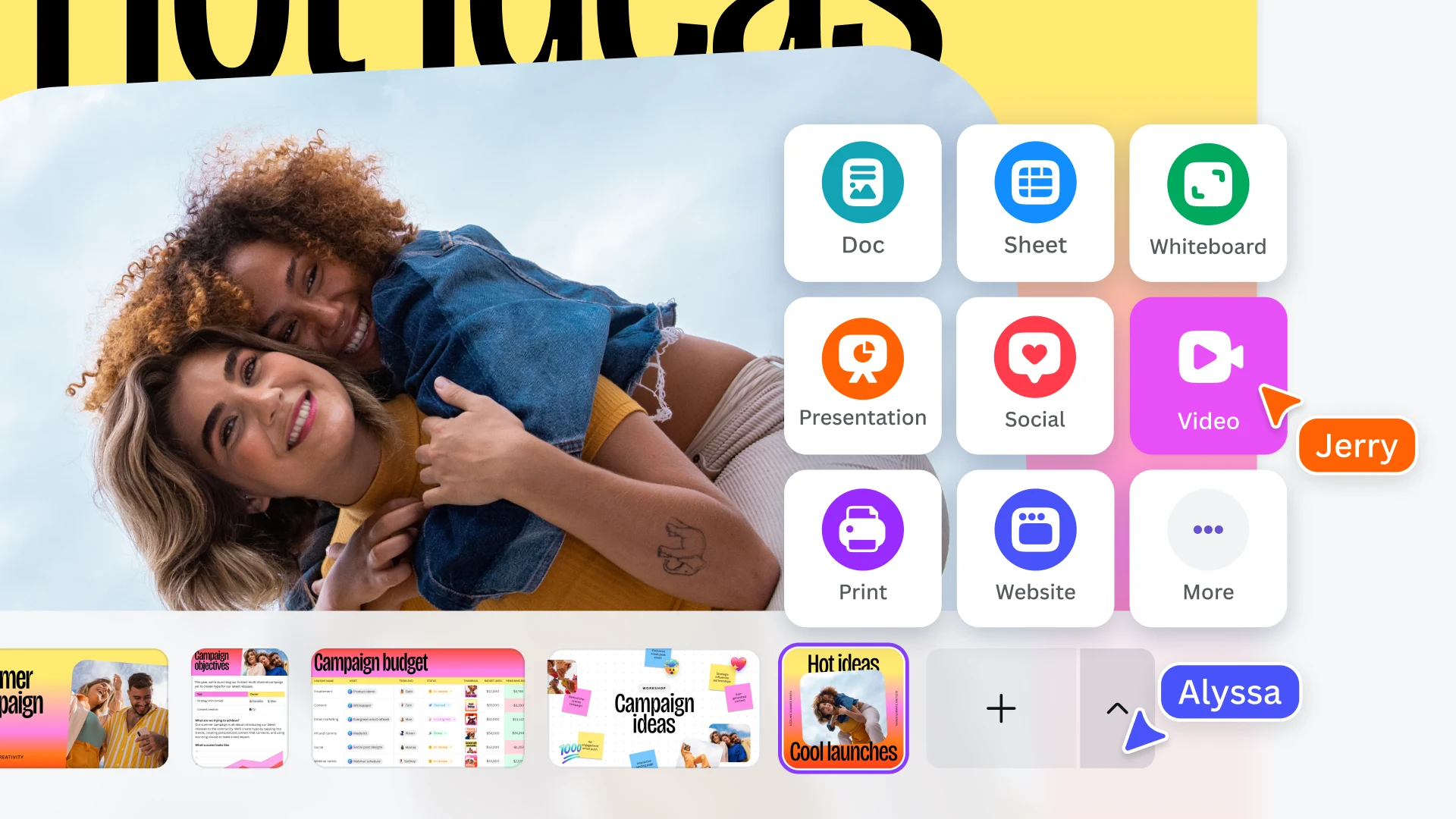
Canva’s Magic Studio brings AI assistance into visual production. It can speed up creating and adapting assets. It cannot establish whether the claim on the image is true.
Canva’s official overview of visual content formats.
Pros: Editable design workflow; useful when one campaign needs several visual formats.
Cons: A polished design can give an inaccurate claim an undeserved air of authority.
Pricing: Canva offers Free and Pro plans, with annual and monthly billing choices. Its displayed price can vary by market, offer, and billing view, so I would use the amount shown at checkout for my location. Confirm whether the AI allowance and brand controls you need are included in that plan.
Choose it if: Visual production delays a campaign whose message is already settled. If you do not yet know what the asset should say, resolve that before making variants.
5. HubSpot: Best for campaigns connected to CRM records
The handoff I would test: Give it clean contact records and approved campaign assets; expect a CRM-linked campaign and follow-up path; pass that to the person reviewing qualified responses.
Best for: Marketing that must connect messages with contacts, responses, and sales follow-up.
I would test HubSpot with one existing customer journey. Check the contact properties first, build a segment from fields you trust, send the campaign, and follow what happens when someone responds. A generated email is only the beginning. I also need to know who received it and whether a colleague should take the next step.
HubSpot’s Marketing Hub describes campaign work and AI assistance within its marketing platform. That connection is useful when the CRM already contains reliable customer information.
Pros: Campaign activity stays close to contact records; supports the handoff from marketing to sales.
Cons: Setup, data maintenance, contact limits, and tier requirements can be substantial.
Pricing: HubSpot uses tiered Marketing Hub plans. I would calculate the price for my contact volume and the exact features I need, rather than assuming the lowest advertised price covers the workflow.
Choose it if: Contact history and follow-up are central to the campaign. If the immediate job is writing copy, begin with a lighter tool.
6. Semrush: Best for search and AI-visibility research
The handoff I would test: Give it a target audience and a real search question; expect topic evidence and a search-content brief; pass that to the writer who checks sources and intent.
Best for: Choosing search topics and examining where a brand appears in search and AI-generated answers.
I would start with a question a customer actually asks, then examine the search results and competing pages. I would look for a gap I can answer with specific evidence, rather than choosing a topic solely because a report shows demand. Semrush’s AI-visibility documentation describes research into prompts and brand visibility alongside its broader search tools.
A report can tell me where to look. It cannot give me first-hand product knowledge or decide which claim I should make.
Pros: Connects search research with AI-visibility analysis; useful for deciding where content work may be worthwhile.
Cons: Findings require interpretation, and a visibility report is not proof that a proposed article will perform.
Pricing: Semrush has different toolkit and plan options. I would check the websites, keywords, prompts, and historical data included in the plan I intend to buy.
Choose it if: Search is an important acquisition channel and topic selection slows you down. If the topic and evidence are settled, your next tool may be an editor or publishing platform.
7. Klaviyo: Best for ecommerce email and SMS
The handoff I would test: Give it reliable store events and a defined customer segment; expect an email or SMS flow for that segment; pass that to the person measuring orders and unsubscribes.
Best for: A store that wants customer behavior and purchase data to shape its messages.
I would test Klaviyo with one lifecycle moment, such as the first message after a purchase. Before drafting, I would check that the purchase event arrives correctly and that the intended customers enter the segment. I would also inspect who must be excluded. Someone whose problem has already been resolved should not receive another reminder about it.
Klaviyo’s AI overview describes assistance with segments, copy, campaigns, and optimization. Its usefulness depends heavily on the quality of the customer information underneath those features.
Pros: Close to ecommerce customer and purchase data; suited to recurring lifecycle messages.
Cons: Faulty events lead to faulty targeting, however polished the copy may be.
Pricing: I would estimate the cost using my actual audience size and expected email and SMS activity, then check Klaviyo’s pricing page for the relevant plan and channel charges.
Choose it if: Reaching the right customer at the right moment is the task. Fix unreliable events and segments before adding more personalization.
8. Buffer: Best for social drafting and scheduling
The handoff I would test: Give it approved copy and visuals for each channel; expect a dated publishing queue; pass that to the person reviewing clicks, replies, and next actions.
Best for: Turning approved ideas into posts suited to each social channel.
I would take a finished article or product update and make a few posts from it. Each should give that channel’s audience its own reason to click or respond. Once approved, I would schedule them and check whether the posts actually went out as planned.
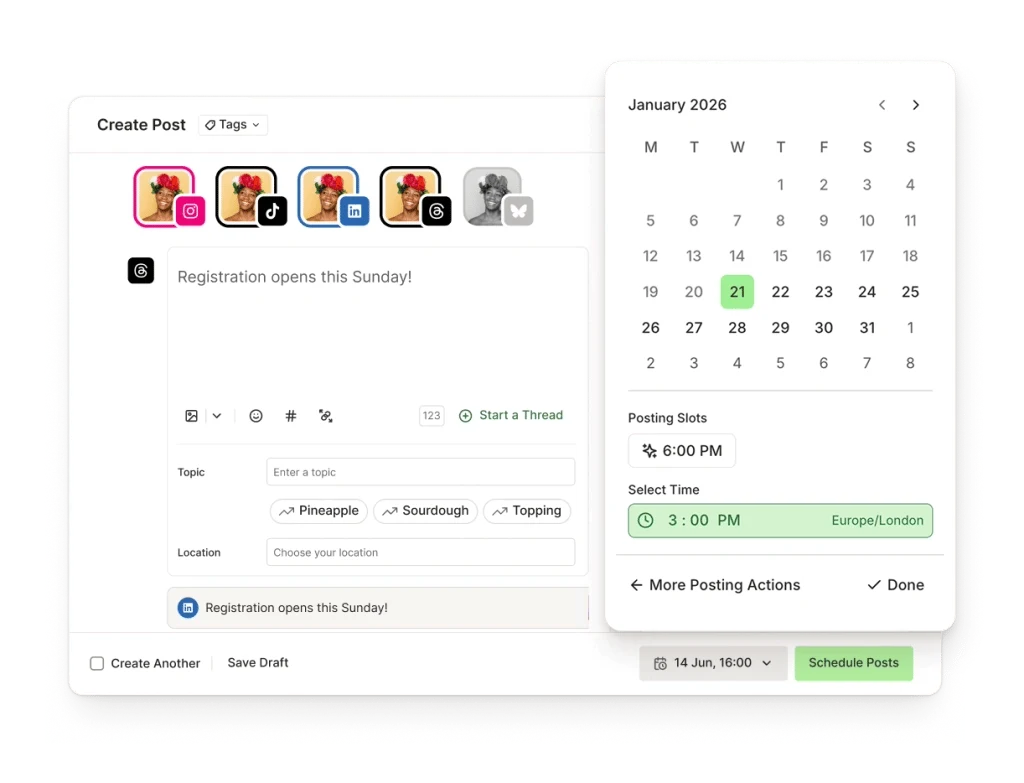
Buffer’s AI Assistant supports creating social content within a publishing workflow. I would use it when the idea is sound but adapting and scheduling posts takes too much time.
Buffer’s post editor and scheduling interface.
Pros: Direct path from idea to scheduled social content; useful for regular publishing.
Cons: Posting more often does not prove that the underlying campaign is working.
Pricing: Buffer offers free and paid options. I would check how many channels I can connect and which publishing features the plan includes.
Choose it if: Good ideas are waiting in documents or chats instead of reaching your channels. If you are still unsure what to say, solve the message first.
How to test an AI marketing tool before paying for a year
I would test a real task with a real deadline. A made-up campaign lets almost any tool produce an impressive-looking answer.
Name the bottleneck. “We cannot agree on the message” and “approved copy is waiting for graphics” require different software.
Use real inputs. Gather customer evidence, approved product facts, brand rules, and the result you want.
Finish one deliverable. Produce something a colleague could review and use: a brief, page section, graphic, email, or scheduled post.
Count the corrections. Note inaccurate claims, missing context, rewrites, and extra handoffs.
Follow the output. Can it reach the person or system responsible for publishing, sending, or measuring it?
Calculate the full price. Include seats, contacts, channels, AI usage, and the plan tier containing the feature you tested.
I would not buy a tool because it generates the most assets. I would not treat generated copy as approved copy. And I would not call a campaign successful because it produced more drafts; I would look for finished work that serves the reader and supports a business result I can observe.
A practical example: launching a software feature
Suppose a new feature reduces the work involved in preparing monthly reports. The product page talks about speed, but support conversations suggest that prospective customers worry about setup.
I would begin with that worry: “Will connecting my data take more time than this feature saves?” Then I would confirm the real setup steps and decide what evidence we can show. Only after that would I write a campaign brief.
The tools now have distinct jobs. Tomako is worth evaluating for connecting that customer problem to campaign direction and subsequent work, subject to what is currently available in your account. ChatGPT or Jasper could help draft explanations from the approved brief. Canva could turn the actual setup process into a visual walkthrough. Semrush could help examine the questions people search when they need monthly reporting help.
For delivery, a sales-led business might use HubSpot to reach relevant contacts and record follow-up. An ecommerce business might use Klaviyo for customer messages. Buffer could schedule posts pointing to the finished guide.
I would measure the outcome where the meaningful customer action is recorded. The number of assets generated tells me how much we produced; it does not tell me whether the new explanation helped someone decide. If the next challenge is presenting results clearly to other people, my marketing reporting tools guide compares software for that job.
Mistakes that make an AI marketing stack less useful
Buying overlapping writing tools before deciding what to say. Several can create drafts. None can supply customer evidence you never collected.
Treating fluent text as a verified claim. Check product behavior, prices, images, permissions, and brand language before publication.
Ignoring the handoff. If someone must copy the output into another system and explain the decision again, the apparent time saving shrinks.
Measuring volume instead of results. More emails, graphics, and posts matter only when they help the intended customer and support a goal you can observe.
Assuming the entry plan covers your workflow. Check seats, contacts, channels, AI allowances, and whether a feature is currently available.
Frequently asked questions
What is the best AI marketing tool overall?
I would start with the task that delays your work most often. If you need to turn a growth problem into a marketing plan, examine Tomako and confirm its current capabilities. If you already have an approved plan, a specialist such as Canva for visuals, Klaviyo for ecommerce messages, or Semrush for search research may be the better first choice.
Can I start with a free AI marketing tool?
Yes. I would use a free plan to finish one real task and count the corrections it needs. Before making it part of a regular process, check its usage limits and whether the necessary features are included.
Is ChatGPT enough for marketing?
It can be enough for research, outlining, and drafting if you give it reliable material and review what it produces. I would add another tool when the unfinished job is managing customer records, making visuals, publishing to channels, or keeping campaign decisions connected.
How should I measure whether an AI marketing tool is worth paying for?
I would measure how long it takes to produce an approved deliverable, how many corrections it needs, and whether it helps complete the next step. Then I would check the business measure tied to that campaign, such as qualified inquiries, trials, orders, or retained customers.
Will an AI marketing tool replace a marketer?
I would use these tools to help with specific parts of the work. A person still needs to decide which customer problem matters, check claims, approve what goes out, and judge the result.
How many AI marketing tools do I need?
I would start with one tool for the main bottleneck and add another only when it handles a different job. A planning tool and a design or delivery tool can be more useful than several assistants that all produce similar drafts.
Build your first workable combination
If your next campaign is stuck because the opportunity or message is unclear, examine Tomako’s marketing use cases against a real project and confirm what you can do in the current product. If the plan is already approved, go straight to the unfinished task: Canva for visuals, Klaviyo or HubSpot for customer messages, Buffer for social publishing, or Semrush for search research.
The best AI marketing tools help you finish work that answers a real customer need. Start with that need, test one task, and keep the tools that make the next step easier.
Marketing Tools
9 Best Conversion Rate Optimization Tools for 2026



 SEO/GEO
 Learning loop