You have not settled on a product name
Start with the product name generator to turn your idea, audience, and domain preference into comparable name candidates.
Actionable GTM tools
Each tool is built around one concrete job: enter the inputs, get a reusable output, then move into the next launch or growth action.
Featured tool
Paste a Reddit, r/SaaS, r/indiehackers, or Indie Hackers draft and check whether the title, CTA, process evidence, self-promotion paragraphs, and community tone feel too promotional.
From inputs to usable output
Community Post Risk Checker

Choose by the blocker in front of you, not by a feature name. Each tool explains what to enter, what you get back, and how to use the result next.
Start with the product name generator to turn your idea, audience, and domain preference into comparable name candidates.
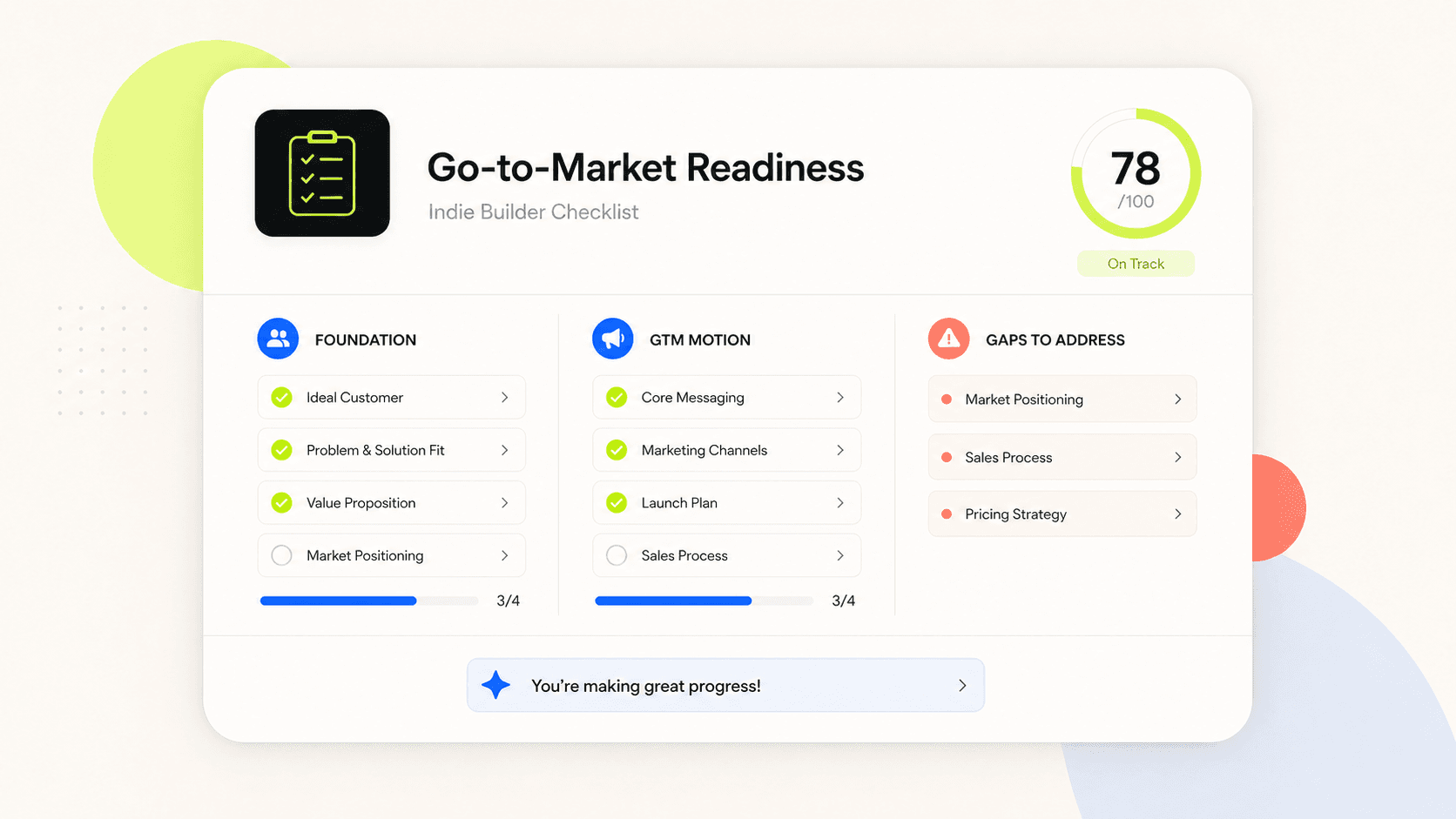
Use the GTM readiness checklist to inspect positioning, channels, assets, and metrics before launch gaps become public.
Upload a product URL or UI screenshot to draft App Store or Google Play listing images before final design polish.
Paste a public X/Twitter link to convert embedded animated media into a GIF or keep the MP4 source file.
Why choose Tomako
Tomako tool pages explain who the tool is for, what to enter, what you get back, and how to use the result next. That keeps you from bouncing between articles, scripts, plugins, and one-off templates.
Each tool explains the supported links, text, screenshots, or product details, plus the cases where the tool is not the right fit.
Outputs are shaped to be copied, downloaded, previewed, or reviewed instead of ending as generic advice.
Download, conversion, generation, and analysis tasks call out likely failure reasons, platform limits, rights/privacy boundaries, or review needs.
Pick the tool that matches the job: name it, check readiness, then close gaps in store visuals and social assets.
Actionable GTM tools
 Generator
App submission tools
Upload one app icon source and locally generate iOS AppIcon.appiconset, App Store 1024, Google Play 512, and Android launcher mipmap PNGs as a ZIP or individual downloads.
Growth strategy tools
Enter a product URL or description and a cloud agent turns product stage, market, and constraints into a prioritized cold-start channel report with a simple execution plan.
AnalyzerCommunity growth tools
Paste a Reddit, r/SaaS, r/indiehackers, or Indie Hackers draft and check whether the title, CTA, process evidence, self-promotion paragraphs, and community tone feel too promotional.
 Analyzer
Startup research tools
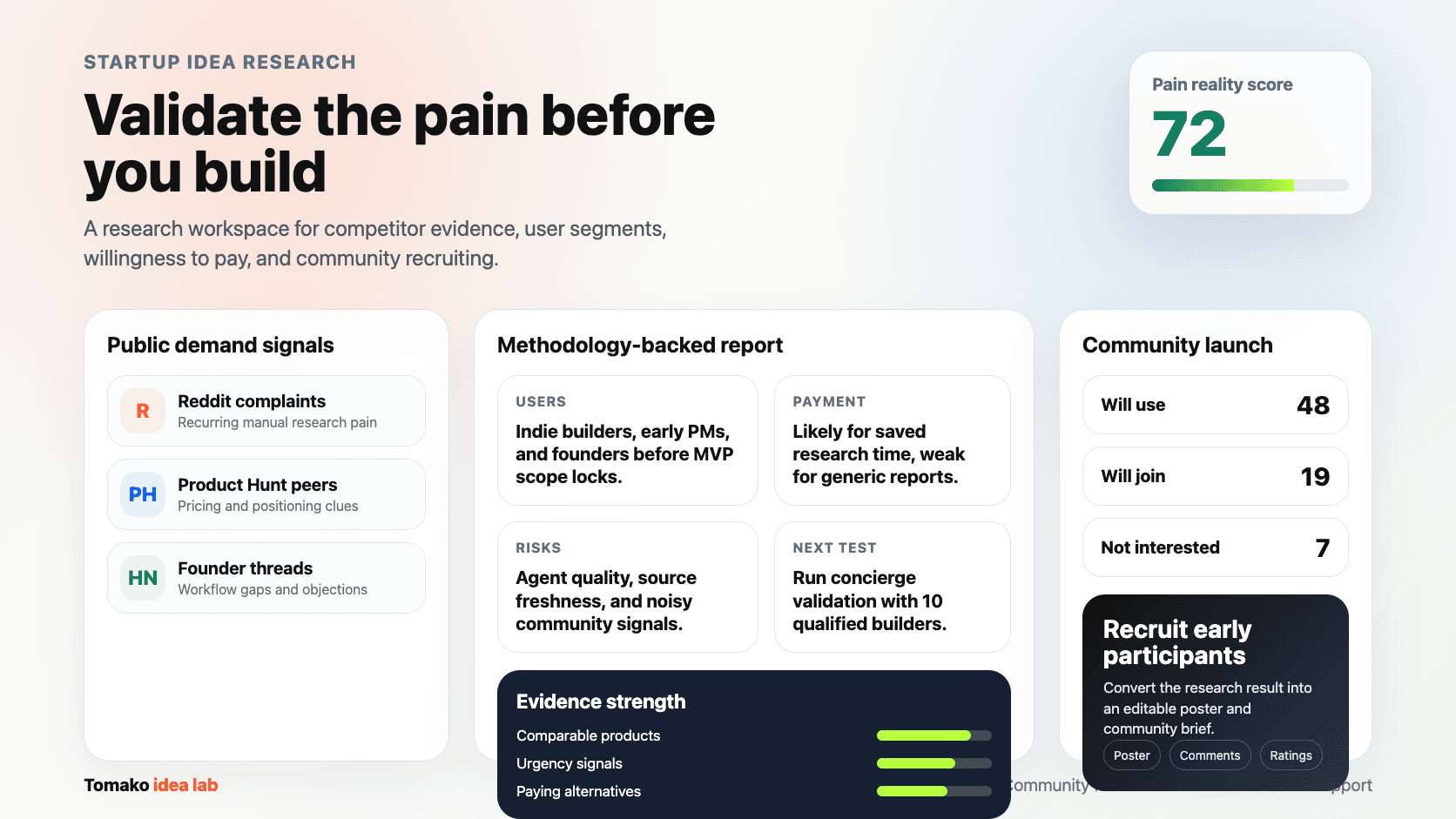
Enter a startup idea and a cloud agent researches comparable products and public signals, then evaluates real pain, potential users, willingness to pay, and a community recruiting draft.
 Generator
Brand tools
Enter a product idea, target users, naming style, and domain extensions to generate 3-5 product names, then expand one candidate for domain, search, and trademark pre-screening.
 Downloader
Social Media Tools
Paste a public Tweet or X post URL to save a Twitter GIF, preview the animation, and download either a GIF or the MP4 source.
 Generator
ASO tools
Enter a product URL or upload a UI screenshot, fetch product context, and generate a complete Apple App Store or Google Play listing image draft set.
 Analyzer
GTM Tools
Twelve yes-or-no questions to see if your product is ready to promote—and where to close GTM gaps first.
 Generator
Content marketing tools
Generate polished Open Graph images, Twitter/X header images, and blog featured images with AI directions, URL metadata fetching, templates, preview, and PNG/JPEG/WebP export.
From task to next step
Confirm the job in front of you, then use a workbench that returns something you can copy, download, review, or carry into the next launch step.
Each tool explains when to use it, what to enter, and when the task is outside its supported range.
Inputs, action buttons, and result states sit at the center so you can get useful output quickly.
Naming, readiness checks, store visuals, and social assets can become one pre-launch preparation path.
They are most useful when a product is moving from idea to launch: naming, readiness checks, store assets, social media material, and growth prep. Each page solves one concrete task instead of acting as a generic marketing template.
The public tool pages can be opened directly. Some generation or analysis tools may take a moment to return results; download, conversion, and checklist tools keep the flow as immediate as possible.
Use the results as launch drafts, checklists, or asset starting points. For brand, compliance, app store review, or third-party platform content, review the output against your product facts and platform rules before publishing.