# 7 Best Content Optimization Tools for 2026
> Compare seven content optimization tools for briefs, drafting, topic coverage, and on-page updates. Find the right fit for your page.
Source: https://tomako.ai/blog/best-content-optimization-tools
Updated: 2026-10-12
When someone asks me which content optimization tool to buy, I first ask what they are trying to fix. Are they unsure what the page should say? Is a draft missing useful answers? Or does an existing page need a closer on-page review? Those are different problems. Paying for a content score will not clear up a vague brief.
I chose seven tools that help at different points in that work. The useful comparison is what each one helps you decide, how it fits the way you write, and what you would still need to check yourself.
## Which tool should you try first?
| If you are stuck here | I would start with | What I would check next |
| --- | --- | --- |
| The audience or message keeps changing | Tomako | Can you give it real customer questions and verified product facts? |
| You need guidance while writing a search-focused article | Surfer or Clearscope | Which editor fits the way you already write? |
| You have research but no useful outline | Frase | Do its suggested sections answer this reader's question? |
| You cannot decide which topic or existing page deserves work | MarketMuse | Does its priority match your business goals? |
| You want to create, update, and repurpose content in one place | Semrush Content Toolkit | Will you use the full workflow or only one feature? |
| You know exactly which page needs on-page changes | PageOptimizer Pro | Can you apply its suggestions without making the page less clear? |
If your budget is tight, I would start with Google Search Console and one page that already earns impressions. Choose a tool only after you can say what decision you need it to help you make.
## How I made this list
I compared the products against three jobs: deciding what a page must accomplish, improving a draft, and deciding what to change on a published page. I used public product documentation and workflow descriptions. I did not run a controlled implementation of all seven tools, so I would treat this as a shortlist to test on your own page, not a ranking of measured results.
This guide is about the words, structure, and editorial decisions on a page. If you already know the content is sound but need to improve how pages connect, my [internal linking tools guide](https://tomako.ai/blog/best-internal-linking-tools) covers that next job.
| Tool | The job I would give it | AI search or GEO guidance | Google Docs or WordPress workflow |
| --- | --- | --- | --- |
| Tomako | Set the brief, reader question, and message | I would verify any dedicated scoring requirement in the product | Confirm the handoff your workflow needs |
| Surfer | Edit a search-focused draft | AI Search Score is documented | WordPress integration is documented |
| Clearscope | Review topic coverage | AI visibility features are described publicly | Google Docs and WordPress integrations are documented |
| Frase | Turn research into a brief and draft | SEO and GEO scoring are documented | Google Docs import/export and WordPress publishing are documented |
| MarketMuse | Decide what to write or refresh | Check the specific AI-search feature you need | Check your required handoff |
| Semrush Content Toolkit | Create, update, and repurpose articles | AI-search optimization is documented | A WordPress plugin is documented |
| PageOptimizer Pro | Review specific on-page changes | Check the specific AI-search feature you need | Its extension supports Google Docs and WordPress |
Those integration descriptions come from the vendors' current documentation. Features and plan limits can change, so I would test the exact workflow before paying.
## The seven tools I would compare
### 1. Tomako: Start with the brief
If I find myself rewriting an article's opening for the third time, I stop editing sentences and revisit the brief. Who is reading? What are they trying to decide? Which product facts can I support? What should they do after reading? Tomako is the tool I would use to bring those inputs together before drafting.
This matters most when the article has to serve a customer decision as well as a search query. A content editor can suggest topics that competing pages mention. It cannot decide which claim your product can honestly make.
If your drafts keep changing because the audience, message, or evidence was never settled, I would start here. Once the brief is clear, I would check the search data and, if needed, use a specialist editor on the published page.
[Explore Tomako's use cases](https://tomako.ai/use-cases) · [Check current pricing](https://tomako.ai/pricing)
### 2. Surfer: Edit while you write
I would try Surfer when I already know the page's purpose and want search-focused feedback during drafting. Its Content Editor displays optimization guidance, including SEO and AI Search scores. I would read a suggestion as a question—“Have I missed something the reader needs?”—rather than an instruction to add every competing heading.
If you regularly write search-led pages, I would try Surfer with a real draft. After editing, I would check whether the extra sections helped the reader or merely made the article longer.
Visit Surfer · Read its Content Editor documentation
### 3. Clearscope: Check what your draft has left out
I would open Clearscope after writing a substantial draft. Its editor places topic suggestions beside the text, which makes it easier to notice a question I forgot to answer. I would then decide whether the missing idea belongs on this page. Adding a term only to lift a grade can leave the article less focused.
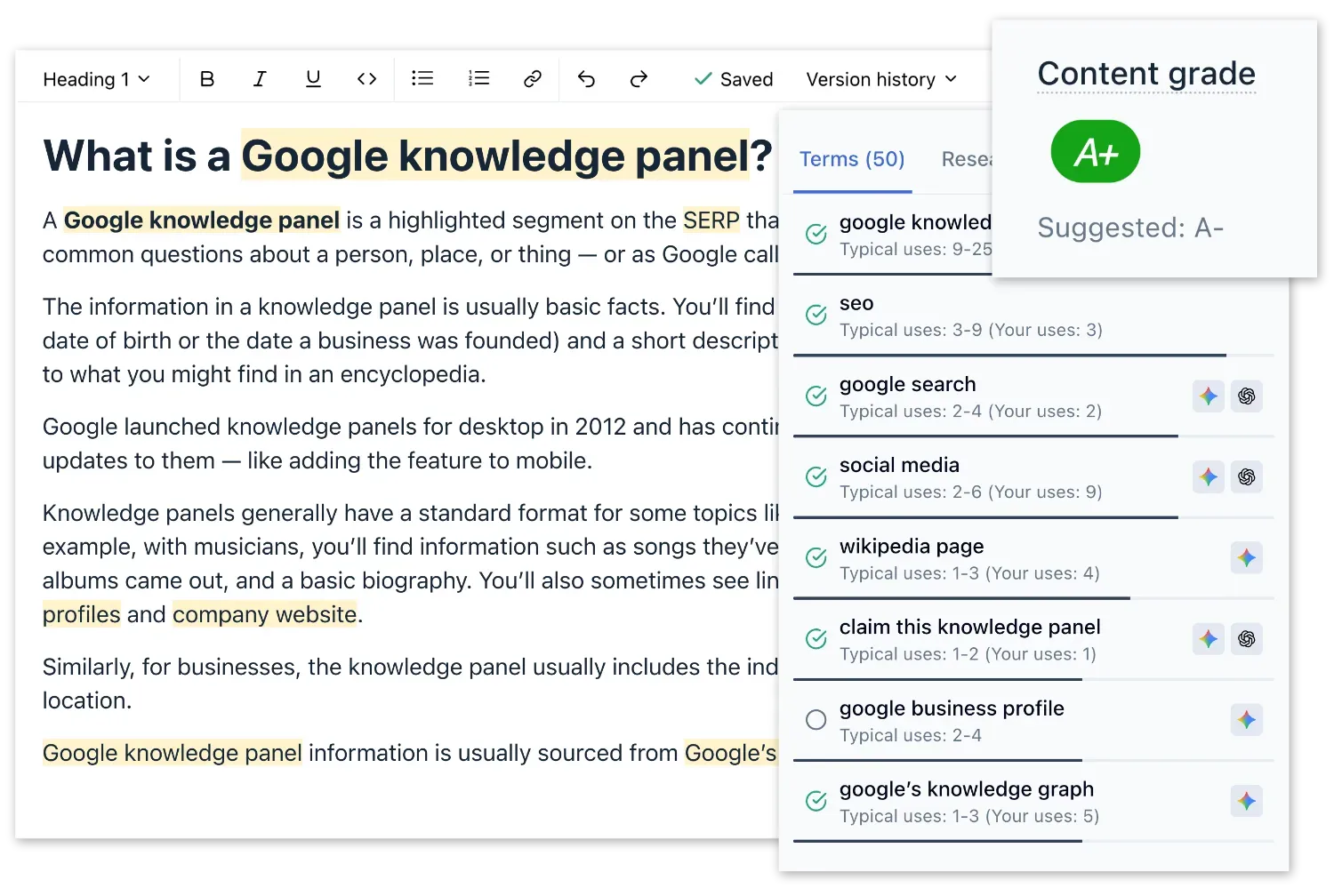
*The official Clearscope product image shows topic guidance beside a draft.*
When several people review a draft, Clearscope gives us a common view of what may be missing. I would still ask whether each suggested idea helps *this* reader make *this* decision.
Visit Clearscope
### 4. Frase: Move from research to an outline
Frase appeals to me when the time-consuming step is sorting search results, questions, and notes into a useful structure. I would use its research and brief workflow to build a starting outline, then remove sections that merely repeat what every other result says. Frase documents Google Docs import and export and WordPress publishing, which I would test with a real draft if those handoffs matter to me.
When research is holding up the first draft, I would give Frase a try. Its first outline is a starting point; if it reads like a collage of search results, I would rebuild it.
Visit Frase · Check its integrations
### 5. MarketMuse: Decide which page deserves your time
Before I improve a draft, I want to know whether it is the right draft to improve. I would consider MarketMuse when I have a collection of existing pages and need to choose between refreshing one, expanding a topic, or creating a new page. Its planning value depends on whether its suggested opportunity matches the audience I actually serve.
When I have more content opportunities than time, I would use MarketMuse to help set priorities. I would still check every promising topic against the product and the people I serve.
Visit MarketMuse
### 6. Semrush Content Toolkit: Keep several content jobs together
Semrush Content Toolkit lets me start from creating content, optimizing an existing article, or repurposing one. I would compare it when I want those jobs in one workspace. If I only need feedback on a single draft, I would check whether a narrower editor costs less and feels simpler.
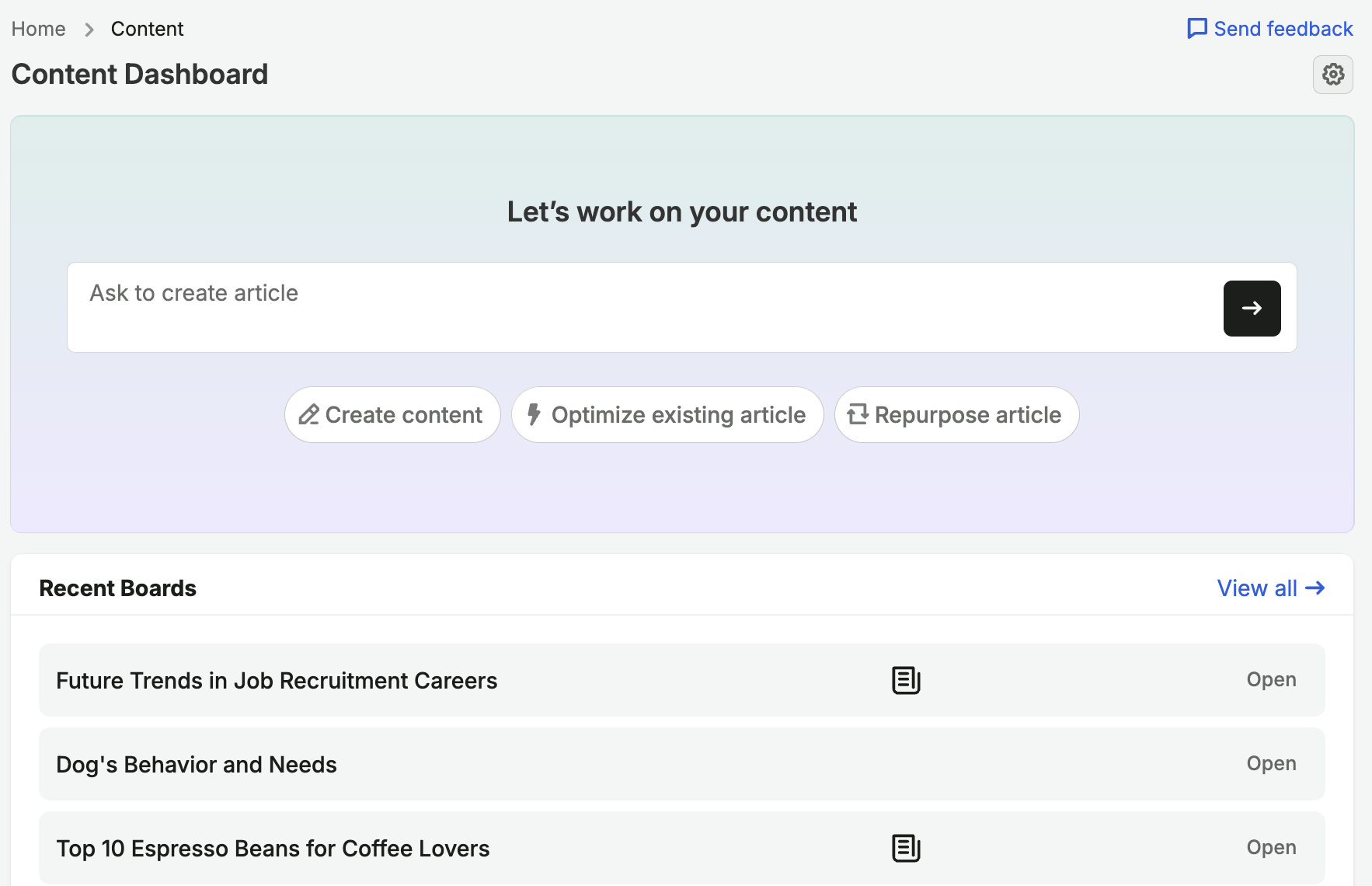
*This screenshot comes from Semrush's official Content Toolkit guide.*
If you create, update, and repurpose articles, I would test the connected workflow. I would first check which parts I would actually use each week, so I do not buy a broad toolkit for one feature.
Explore Semrush Content Toolkit
### 7. PageOptimizer Pro: Work through on-page changes
I would use PageOptimizer Pro when I have a specific page and query to review. Its extension can show recommendations in Google Docs and WordPress, among other editors. I would make each change only if I can explain how it helps the reader or clarifies the page; a checklist is useful, but it cannot make that judgment for me.
With a defined page and query, I would put PageOptimizer Pro on the shortlist. I would reread the page after editing to catch any sentence made awkward or repetitive by a recommendation.
Visit PageOptimizer Pro · Check compatible editors
## How I would test one before buying
I would pick a page that already receives search impressions but leaves an important reader question unanswered. First I would write down that question and the evidence needed to answer it. Then I would run the same page through two shortlisted tools.
I would compare the decisions they help me make, not just their scores. Did either tool reveal a real gap? Did it propose a heading that does not belong? Could I make the useful change without altering a verified claim? After publishing one coherent revision, I would watch the queries bringing readers to the page and what those readers do next.
I am careful with content scores because they are summaries of what a vendor measures. [Ahrefs found weak correlations between several tools' scores and Google rankings](https://ahrefs.com/blog/seo-content-score-study/). That finding does not make the scores useless; it tells me not to treat them as a ranking promise.
## Frequently asked questions
### What is a content optimization tool?
I use the term for software that helps me decide what to add, clarify, remove, or update on a page. Some products guide a draft; others identify topics or published pages that need work. I would choose one based on the decision I need to make.
### Does a higher content score guarantee better rankings?
No. I use a score to find suggestions worth reviewing. I still check whether a change helps the reader, whether its facts are sound, and what happens after publication.
### Should I use an AI writer or a content optimization tool?
If drafting is the bottleneck, I may try an AI writing tool. If I already have a draft and need to assess its coverage or on-page details, I would try an optimizer. Either way, I check claims and decide what belongs in the final article.
### Can AI improve content optimization?
It can help me group customer questions, spot possible gaps, and suggest revisions. I do not ask it to verify its own product claims or promise a ranking improvement. I give it reliable sources and review consequential changes myself.
### Are there free content optimization tools?
Some products offer a limited free plan or trial. I also use Google Search Console to find pages and queries worth reviewing. It does not give the same draft-level guidance as a specialist editor, but it helps me choose a real page to work on before spending money.
### Should I update an existing article or publish a new one?
I update the existing article when it already serves the right reader and query but misses important answers. I create a new page when the new query calls for a distinct decision and adding it would make the existing article unfocused.
## FAQ
### What is a content optimization tool?
I use the term for software that helps me decide what to add, clarify, remove, or update on a page. Some products guide a draft; others identify topics or published pages that need work. I would choose one based on the decision I need to make.
### Does a higher content score guarantee better rankings?
No. I use a score to find suggestions worth reviewing. I still check whether a change helps the reader, whether its facts are sound, and what happens after publication.
### Should I use an AI writer or a content optimization tool?
If drafting is the bottleneck, I may try an AI writing tool. If I already have a draft and need to assess its coverage or on-page details, I would try an optimizer. Either way, I check claims and decide what belongs in the final article.
### Can AI improve content optimization?
It can help me group customer questions, spot possible gaps, and suggest revisions. I do not ask it to verify its own product claims or promise a ranking improvement. I give it reliable sources and review consequential changes myself.
### Are there free content optimization tools?
Some products offer a limited free plan or trial. I also use Google Search Console to find pages and queries worth reviewing. It does not give the same draft-level guidance as a specialist editor, but it helps me choose a real page to work on before spending money.
### Should I update an existing article or publish a new one?
I update the existing article when it already serves the right reader and query but misses important answers. I create a new page when the new query calls for a distinct decision and adding it would make the existing article unfocused.